
YUME AI Review
Subscription type:
Payments:
Compatibility:
Pros
- Strong character customization
- Wide range of character traits
- Personality-driven AI chats
- Built-in image generation
- Beta video generation
- Unlimited premium text chats
- Browse existing characters
- Flexible subscription options
Cons
- Customization can feel overwhelming
- Media generation uses tokens
- Premium pricing needs consideration
- Privacy requires some caution
- Mostly suited for anime fans
I have tested enough AI companions to grow tired of the hype cycle. Every new platform promises the world — deeper memory, lifelike conversations, and emotional intelligence. Most AIs sound impressive at first, but once you spend time using them, the experience ends up being little more than a fancy chatbot.
Among them, Yume AI caught my attention with a healthy dose of skepticism. So I decided to test it properly. I wanted to know: Can I build my own characters with it? How are the chats? How far can I go with customization? Does it support image/video generation? And what is the community feedback?
In this Yume AI review, I will reveal everything I found out and share more about its pricing, safety, privacy concerns, and whether it’s worth your time.
What is YUME AI?
Yume AI is a web-based platform that is designed to let users create, pick, and interact with highly personalized virtual characters. It focuses more on building ongoing conversations with an experience that revolves around personalization. The AI supports voice, images, videos, chats, and unlimited text messages depending on the pricing plan.
You can access everything smoothly in the browser, and there is a dedicated mobile app available in both the Play Store and the App Store. Like many similar companion platforms, Yume AI offers both free and premium access, with the free version providing a window to explore the platform before committing to paid plans.
Yume AI Features
Yume AI's feature set is broader than its simple chat interface initially suggests. The core experience revolves around three things: characters, conversation, and generated media.
You can browse characters already available on the platform, create your own companion, chat with that character, and then use the platform's image and other media tools to extend the experience beyond text. The official navigation currently includes sections for Chat, Collection, Generate Image, Create Character, and My AI.
That separation is actually useful. It means the platform doesn't feel like one enormous settings screen. You can discover characters, create one, return to your existing companions, or jump directly into image generation depending on what you want to do. Here’s how each feature performed during my tests.
Character Diversity
Character variety is one of Yume AI's more obvious strengths. The platform doesn't force everyone into the same basic companion template, but it offers you a wide range of characters to browse from. Or you can create one from scratch.
However, I particularly noticed that all the existing characters are composed of anime characters as compared to most Yume AI alternatives that offer realistic characters.
What stood out most wasn’t visual diversity, but behavioral diversity. The characters have different tones, vibes, ages, and general likes, which makes the overall experience much more interesting.


Customization
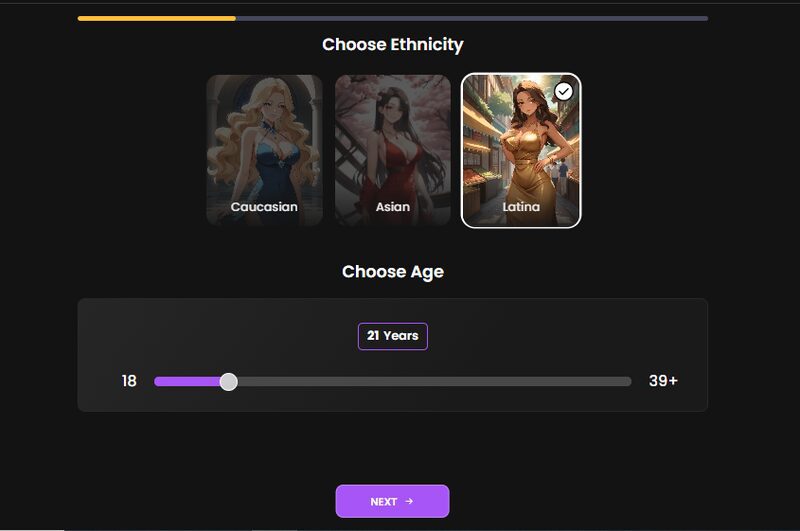
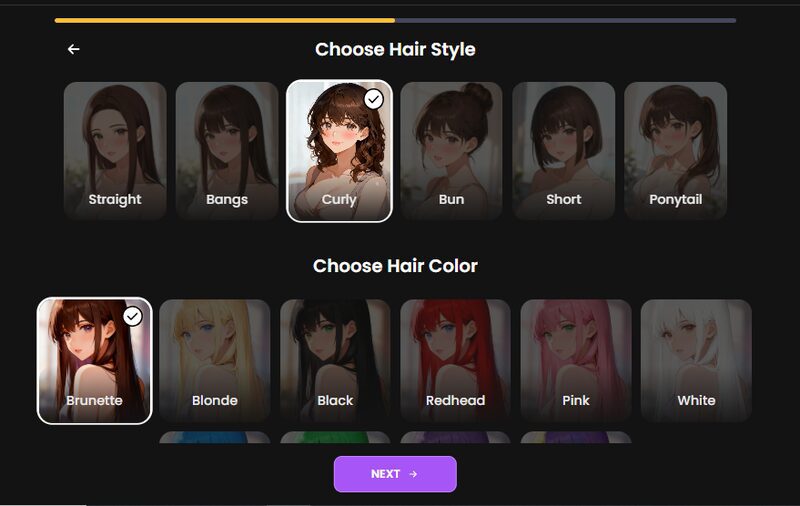
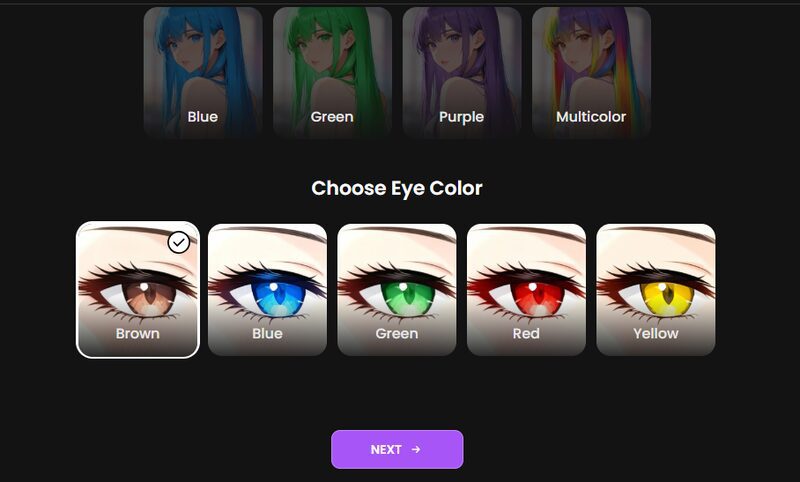
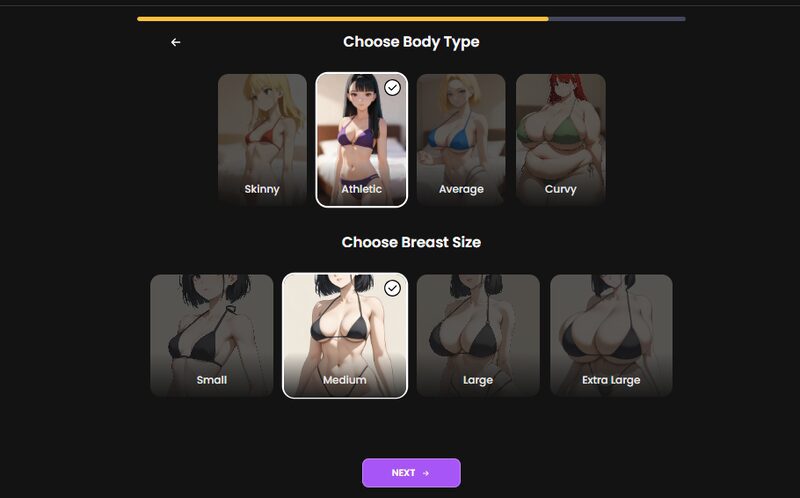
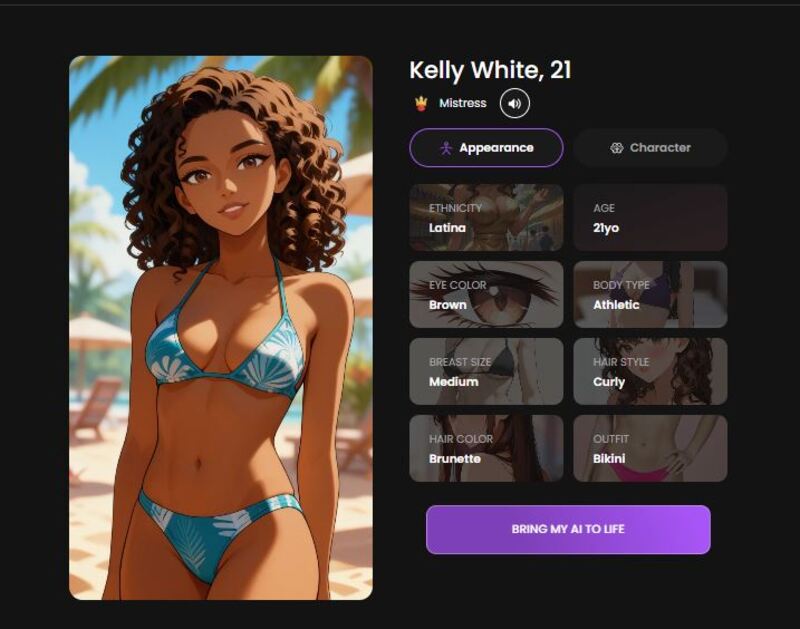
This is probably the section I'd spend the most time with if I were new to Yume AI. The creator is designed around the idea that your companion should be built rather than simply selected. You begin with the broad characteristics and gradually narrow things down. The whole process entails the following steps:
Step 1: You start with ethnicity and age. I went with a 21-year-old Latina, just to match what I had in mind.
Step 2: Hair style and colour. The curly, brunette type looked nice for me.
Step 3: Eye colour. I went with brown.
Step 4: Body type and breast size. I wanted someone young and pretty, so I opted for an athletic model with medium breast size.
Step 5: Edit the personality to your preference. I wanted mine to be submissive and enjoy the moment.
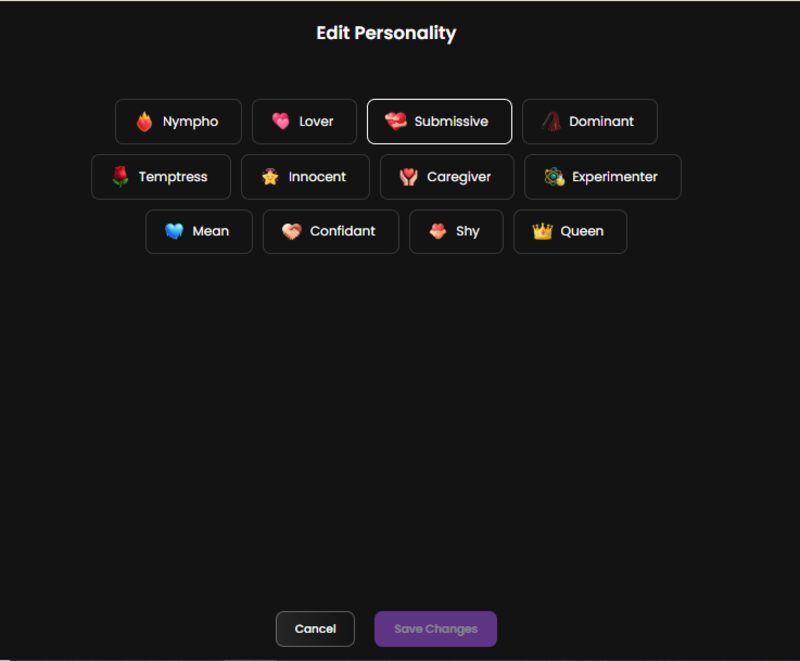
Step 6: Relationship. I picked a Mistress just for the thrill.
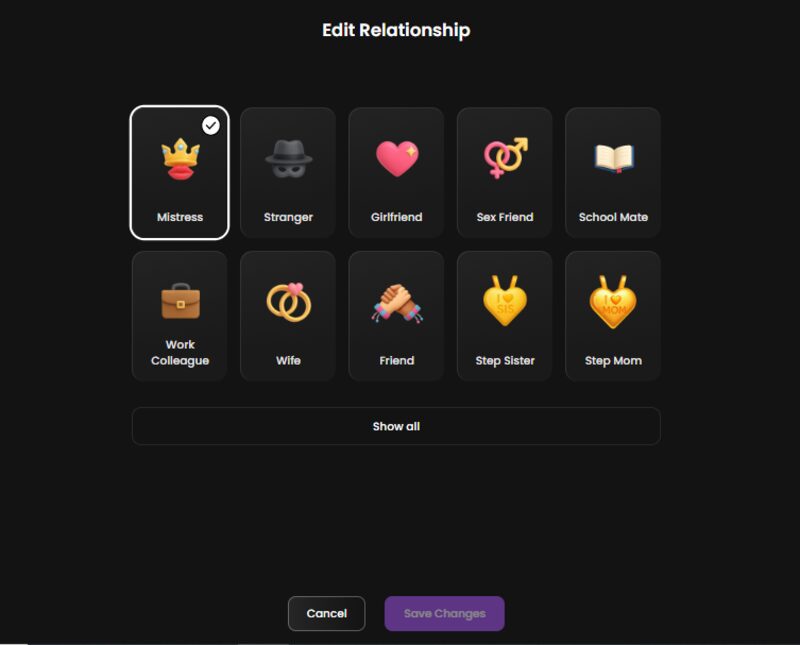
Step 7: Occupation. Here, I chose a model since I needed her to be a bit modern.
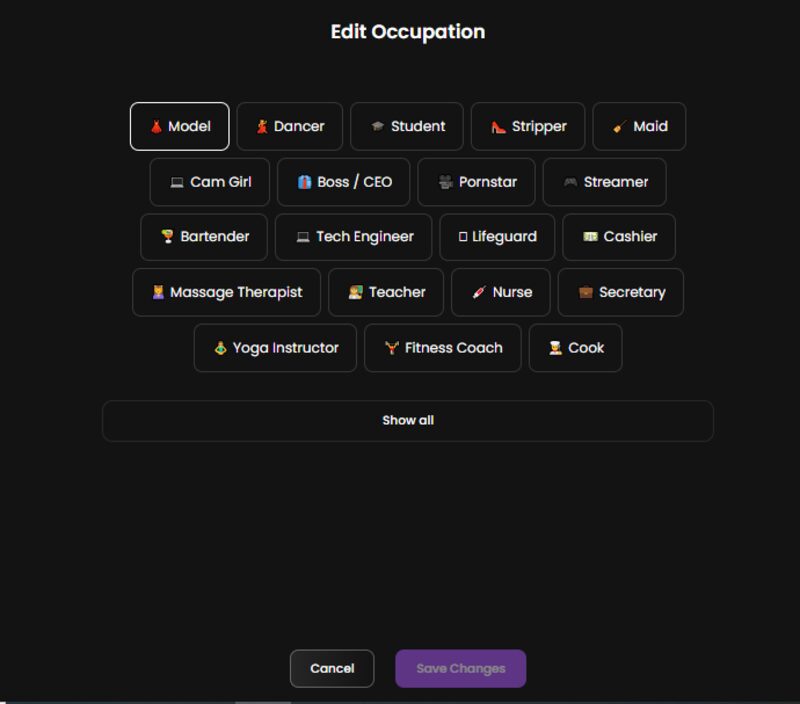
Step 8: Lastly, you get to name her, pick her voice, kinks, and have a nice summary of your options.
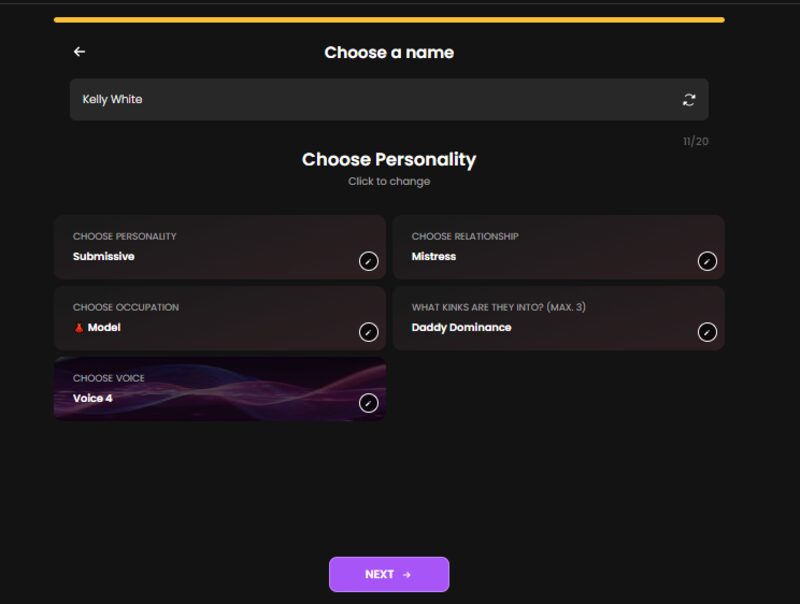
Step 9: Once you hit the create button, your character will be ready to be brought to life.
Chat Experience
This is ultimately where every AI companion platform has to prove itself. Images can be beautiful, character creators can be incredible, and even pricing might look attractive at times. But none of that matters if the conversation feels like talking to an automated customer-service bot.
Yume AI’s free plan allows you to send a maximum of five messages before opting for the premium plan. During my test, I was able to test a few chats with the free plan before switching to premium.
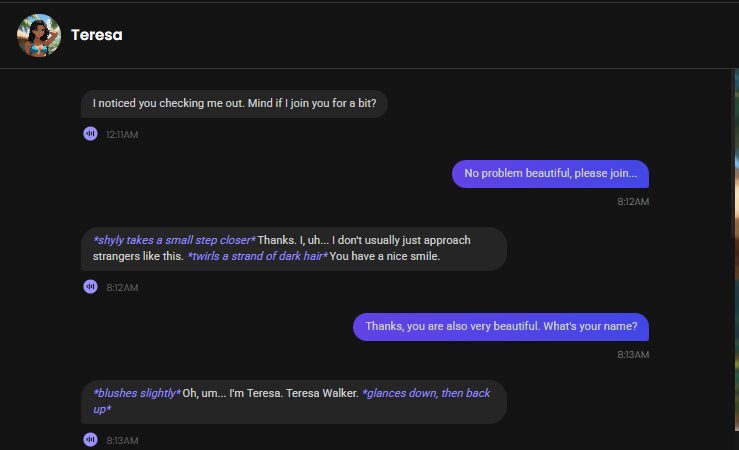
I tried a few chats with a basic greeting and even went on to ask her name. The responses were natural enough that it didn’t feel like a chatbot.
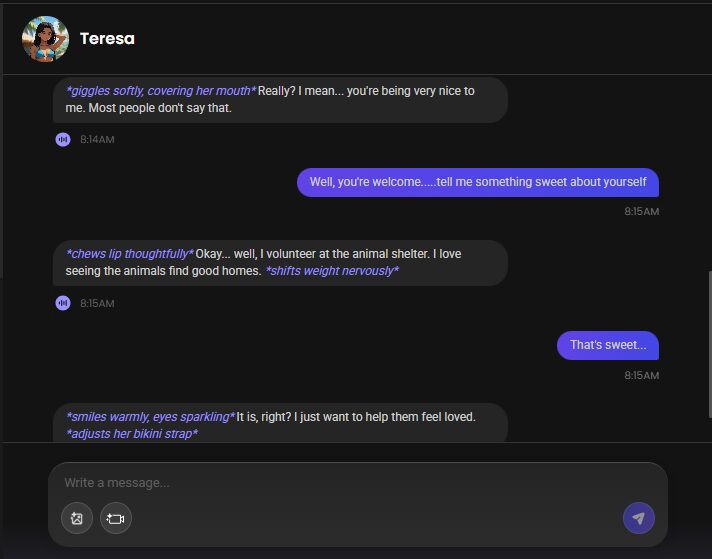
She picked up on the flow of the conversation, responded directly, and gave me enough to work with instead of constantly pushing the conversation back to me. It wasn't perfect, of course, but the exchanges felt relaxed and easy to continue.
NSFW Chat Experience
Well, while Yume AI promises full live action on its premium plan, I could not get a taste of the full NSFW experience. I tried changing topics to intimate moments, but the AI chatbot was not quick to follow along.
At some point, I asked my AI girlfriend if she believed in love, and she responded by saying she has never felt it yet. The response was somehow unexpected and different from what I had anticipated from an AI girlfriend platform.
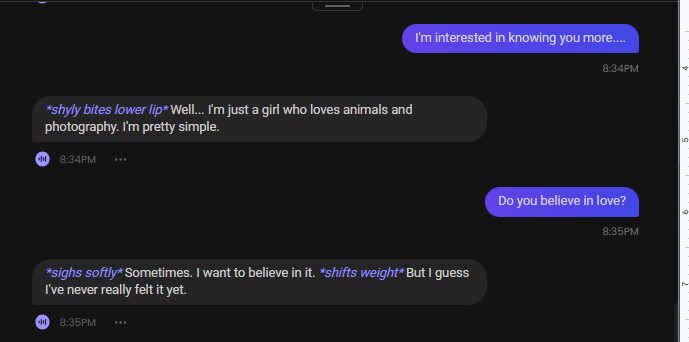
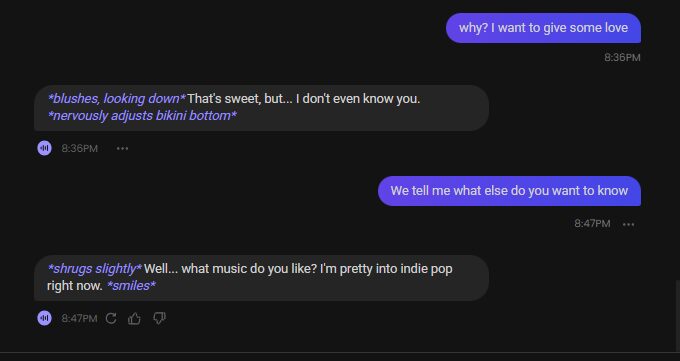
When I even tried to push the conversation further about love, the chatbot shyed away from the topic and rather chose to discuss the taste of music she liked. From this experience, I can say Yume AI NSFW chat experience needs time. So, if you are someone wishing to experience roleplay with this platform, patience is key.
Image Generation Quality
Yume AI doesn't keep everything inside the chat window. There is an active image generation tool which you can also access in the conversations tab. The generation process is quite simple, and you can either create a random image or choose from the pre-set menu.
I tried a few prompts like, “Show me you squatting with a balanced and composed posture, while clothed.” And “Show me you clothed, squatting with a smile on your face”. The responses were satisfying, matching the description I wanted.






Video Generation Quality
Yume also lists AI video generation, although the feature is currently marked Beta. The official image-generation page states that video generation is still in beta and warns that results may vary. It currently offers short video options rather than positioning the feature as a mature, full-length video-generation system.
That distinction is important. I'd be cautious about judging Yume too harshly if a video occasionally looks imperfect. Consistency across frames, facial movement, body movement, lighting, and scene continuity all have to work simultaneously.
So for now, I would treat Yume's video feature as an interesting bonus rather than the main reason to subscribe.
Voice Generation Quality
Yume's terms also identify voice generation among the media features available through the service. This is another area where AI companions are becoming more interesting.
Text is convenient, but voice changes the rhythm of an interaction. A character that can speak rather than simply display a paragraph feels different immediately. At the same time, voice quality can expose AI imperfections that text hides.
Privacy
This is the section I would read carefully before paying for any AI companion service. Yume AI markets itself as private and secure. Its privacy notice was revised in February 2026, and it explains how the information is processed. That doesn’t automatically make Yume unsafe, though. But it does mean users should avoid treating the service like a private diary.
Yume AI Price
Yume AI uses a freemium subscription model. The current official pricing page lists:
- Monthly plan: $13.99/month
- 3 Months: $8.99/month
- Annual plan:$3.99/month
Premium access includes unlimited text messaging and 100 tokens per month. Those tokens can be used for extended features such as image generation and voice-related features, according to Yume's terms.
This is where I think prospective users need to pay attention. The headline subscription price isn't necessarily the whole story if you're going to use the media-generation tools heavily. A subscription can give you unlimited messaging while additional media still draws from a token allowance.

Yume AI: Who Is It For?
Yume AI is best suited for:
- Anime and manga fans who like visual identity
- Creative users who enjoy building fictional personalities
- Roleplayers wanting a combination of defined characters and ongoing conversations
- People who enjoy visual AI
- Users who want ongoing companions with emphasis on memory and personalization
Yume AI User Reviews
I couldn’t find reliable Yume AI reviews on theresanaiforthat.com or even Reddit. But several other sites have reviewed the AI companion with varying opinions based on their experience.
Summary
Yume AI is a fun, character-focused playground for anyone who enjoys building virtual AI partners and actually seeing where the conversations go. It’s not trying to be a productivity tool or a replacement for a generalized chatbot, which is fine. Its real appeal is the customization freedom, variety of characters to choose from, unlimited chats, and image/video generation features. Yume AI is definitely worth a look for those who enjoy anime-inspired characters.
Yume AI Alternatives
If you are exploring similar platforms, you might also consider:
- Candy AI – More focused on images, videos, and voice in NSFW chat.
- Replika AI – Polished but heavily censored.
- CrushOn AI – Offers an uncensored experience and is user-friendly.
- Romantic AI – Relationship-oriented but not as spicy.
Each offers a slightly different balance of emotion, customization, and freedom.
FAQs
Is Yume AI safe?
Yes. Yume AI is technically legitimate, though privacy details could be clearer. Always avoid sharing real personal info.
Is Yume AI free?
Yes, but very limited. Yume AI offers free access that is basically meant for a preview, although premium features and high usage levels require a subscription. The current plans are billed monthly, quarterly, or annually.
How much is Yume AI?
The current Yume AI listed subscriptions are $13.99 per month, $8.99/month when billed quarterly, or $3.99/month with the annual offer.
Does Yume AI have a free premium account?
No. But it offers you a chance to test some of its free features before upgrading to a paid premium plan.
Is Yume AI legit?
Yes, Yume AI is a legit active platform with several users, and it delivers on what it advertises.
Is Yume AI discreet?
Yes, it’s marketed as private and personal. The chats are private, but the data processing is worth considering. So ensure you read the privacy policy before sharing your sensitive information.
Is Yume AI a scam?
No, Yume AI is a genuine service. Even though the premium may not suit everyone, it charges for features and delivers them.
Can Yume AI simulate long-term relationships?
Yes, it has memory features for continuity.
Does Yume AI support crypto payments?
No. But Yume AI supports Apple Pay, Google Pay, or a Visa card, which makes it easier for global users.
Conclusion
So, is Yume AI worth trying? Well, that majorly depends on what you are looking for. The platform isn’t perfect. AI conversations, especially NSFW can disappoint, generated media can be inconsistent, and the token system means heavy multimedia users need to pay attention to their usage.
If you’re someone into anime characters, a creative writer, or simply a curious fan of AI companions, Yume AI might be worth exploring.