
Musebox AI Review
Subscription type:
Payments:
Compatibility:
Pros
- Strong focus on AI NSFW video generation
- Image-to-video is simple to use
- Supports text-to-image generation
- Has character consistency tools
- Video extension is supported
- Soundtrack generation is available
- Free credits are provided to new accounts
- No GPU or software installation required
- Browser-based generation
- API access is available for developers
Cons
- No AI chat command or a dedicated voice-chat feature
- The platform is primarily focused on visual generation
- Video generation consumes credits
- Higher-quality and longer clips need more resources
- Some advanced tools require a deeper understanding of the platform
- Pricing is based heavily on generation credits
Unlike many AI platforms that immediately try to grab your attention with flashy characters and endless visual effects, Musebox AI takes a more creative route. It puts the spotlight on AI-generated images and videos, giving you the tools to turn simple ideas and still images into something much more dynamic.
I found that approach interesting because it feels less like another chatbot and more like a place to experiment with visual AI.
In this Musebox AI review, I’ll look at how the platform actually performs, what makes it different from other AI tools, and whether it’s worth your time and money. I’ll also explore its main features, character customization, image and video generation, pricing, privacy, safety, and share my overall experience using the platform.
What is Musebox AI?
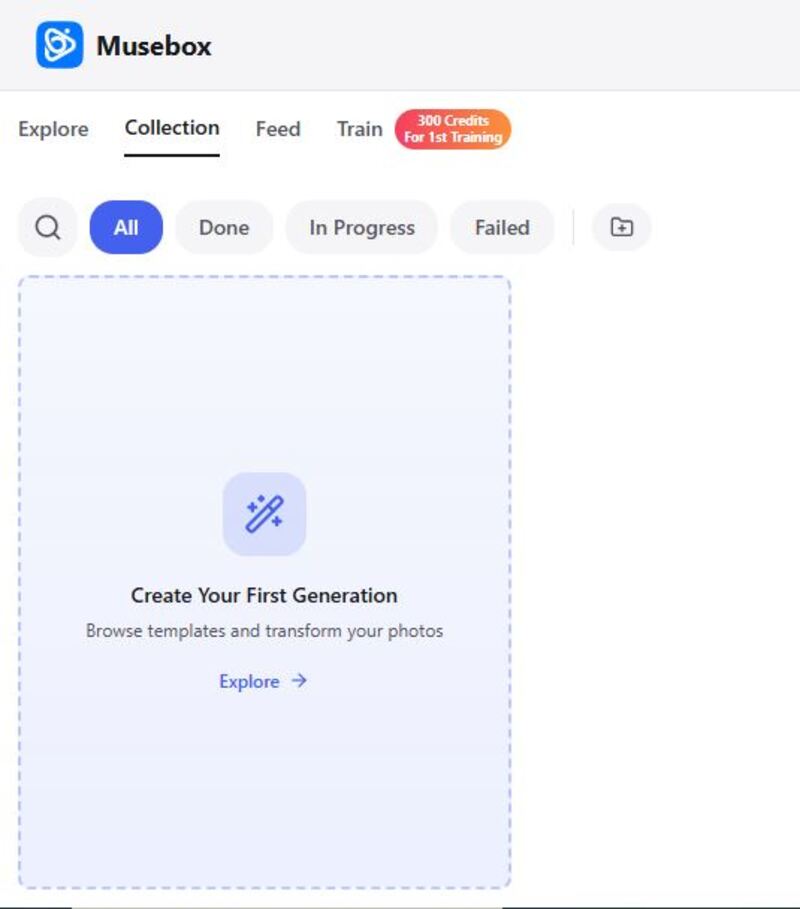
Musebox AI is a platform that focuses on turning images into animated clips. You upload an image, select a template, and Musebox produces a moving clip from it. Media generation occurs on its own hardware and typically takes about a minute for a standard clip.
Musebox also supports text-to-image generation, video extension, soundtrack generation, character consistency tools, and custom model training. Users can upload their own footage and train a private model that can then be used with the platform's templates.
Musebox AI Features
Musebox's feature list revolves around one central idea: creating and animating visual content.
Interesting, right? The good thing is that you can explore these perks for free at first. But if you want juicier features like HD-quality and fast video generation, and access to all templates, you have to choose a paid plan.
One thing I liked about this media generation is that everything runs in the browser, with Musebox handling processing on its own hardware. These features are also accessed through credits, and payments can be made through crypto or card on Telegram.
Character Diversity
This section is slightly different with Musebox because I didn't find the same kind of traditional AI-girlfriend character library that appears on platforms built specifically for companion chat.
Instead, Musebox approaches characters primarily from a visual creation perspective. The public collection allows users to explore generated explicit images and videos, with categories including community creations, top-rated content, new uploads, and other collections. That gives you plenty of visual inspiration.
Customization
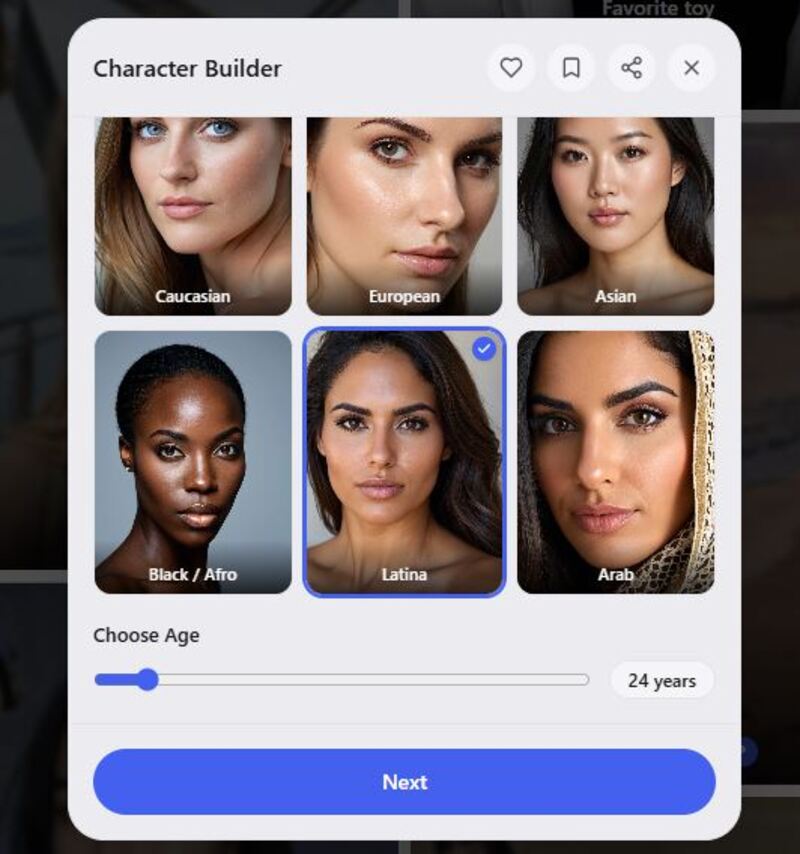
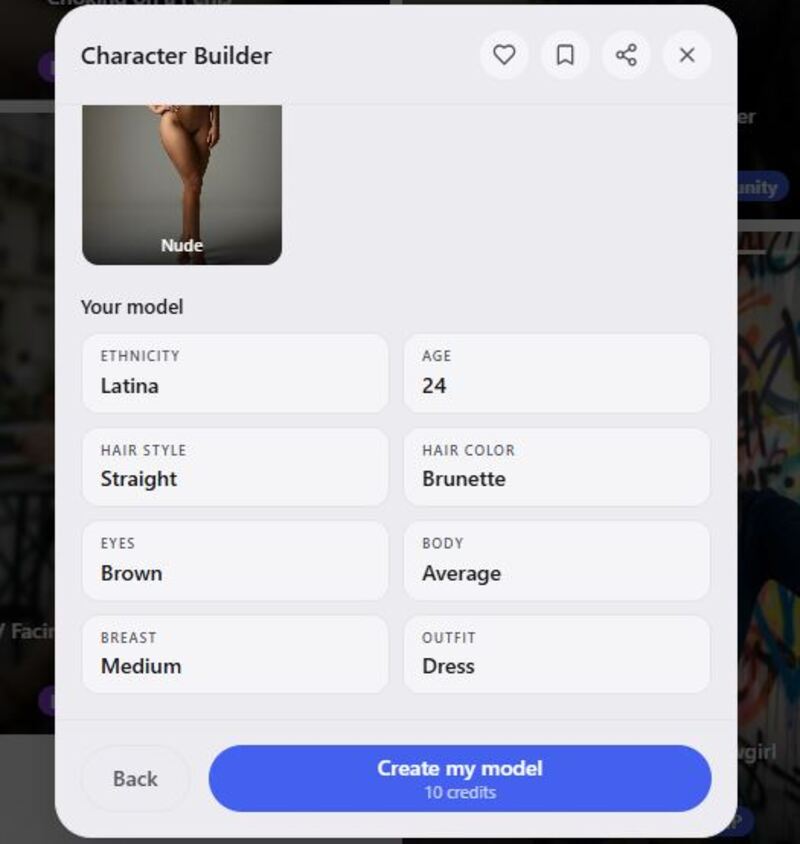
Customization is one of the more interesting areas of Musebox. The platform has a character builder specifically designed to help maintain the same face across multiple shots.
The platform goes even further with private model training. You can upload a handful of your own clips, and Musebox can train a private model based on that footage, after which the model can be used with the available templates.
However, I didn't find a conventional AI girlfriend personality builder where you define traits such as shy, funny, romantic, confident, or sarcastic and then use those traits for a conversational character. So I'd describe Musebox's customization as visual rather than conversational.
Here’s how Musebox AI character creation works:
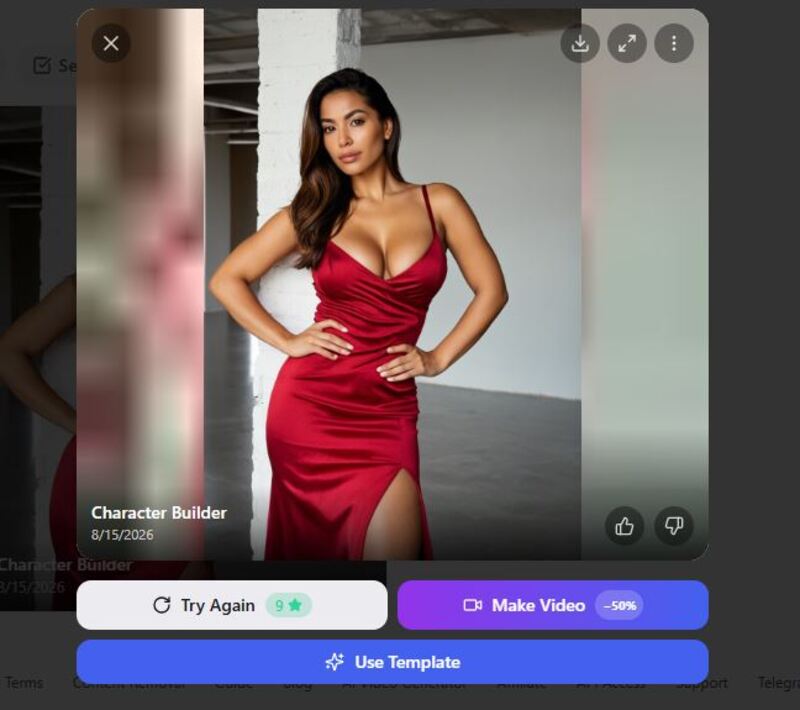
Step 1: Once you hit the create option. You start customizing your character by choosing her age and ethnicity. I chose a 24-year-old Latina.
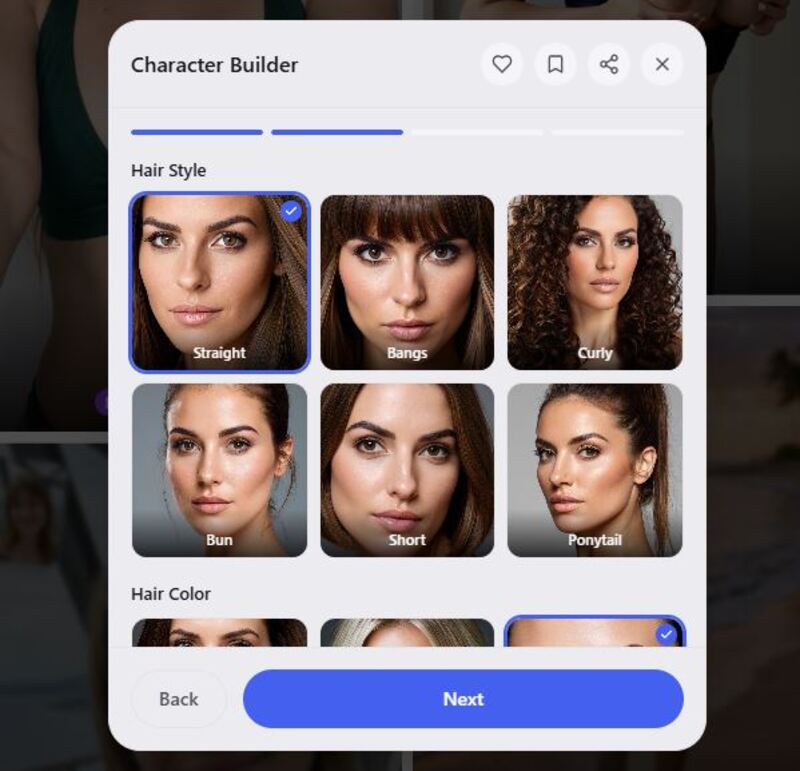
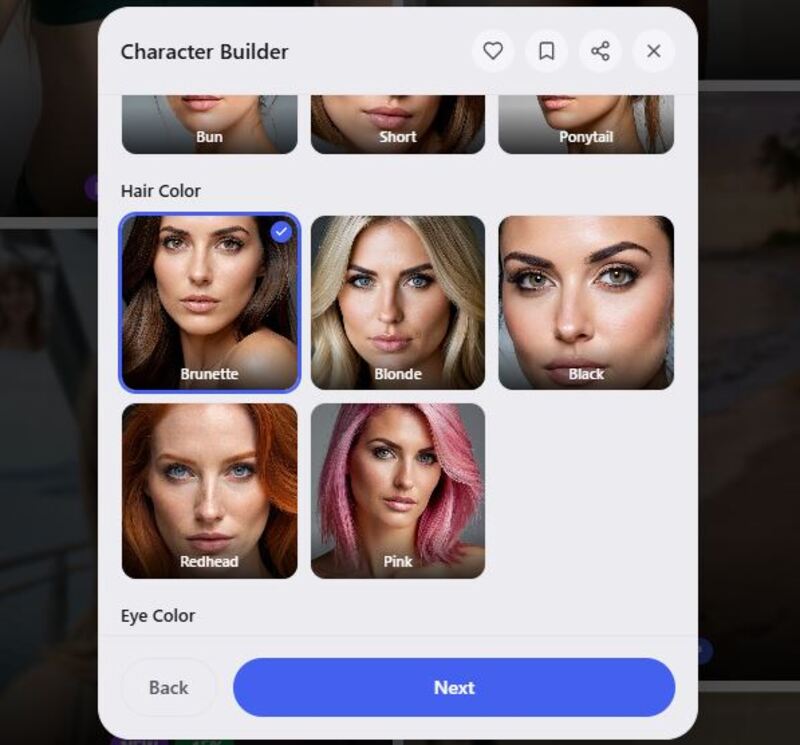
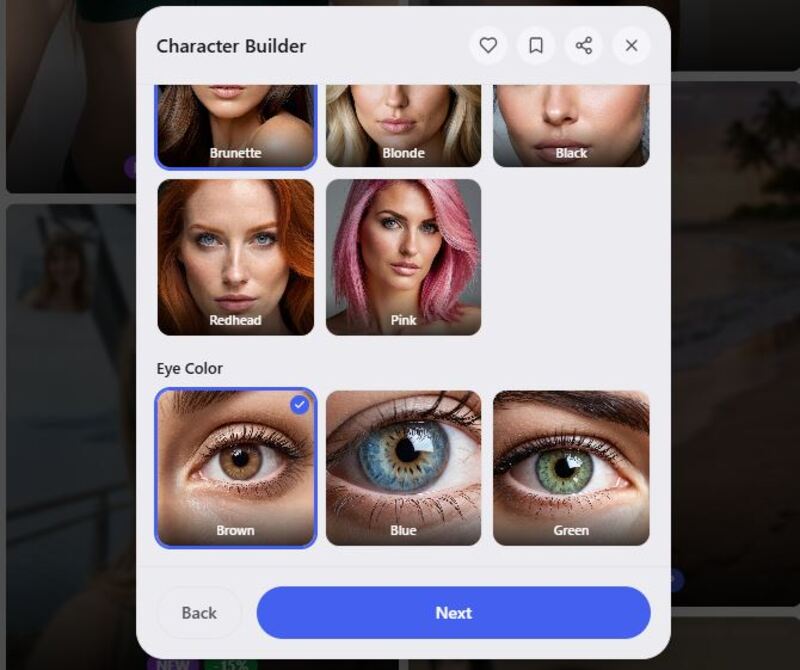
Step 2: Set her hairstyle, hair, and eye colour. I went with a straight-haired brunette with brown eyes.
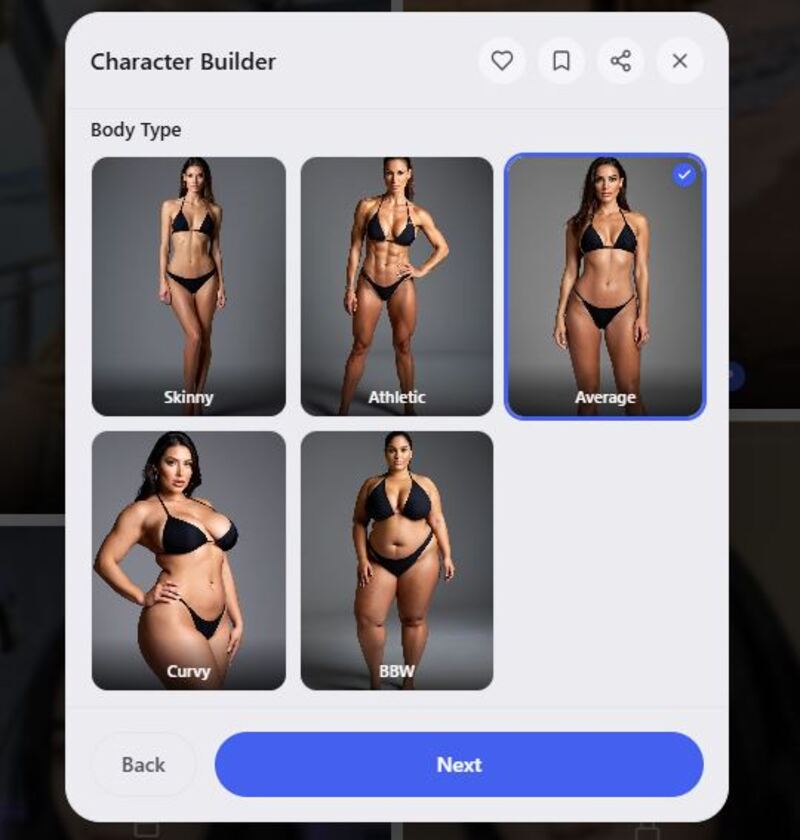
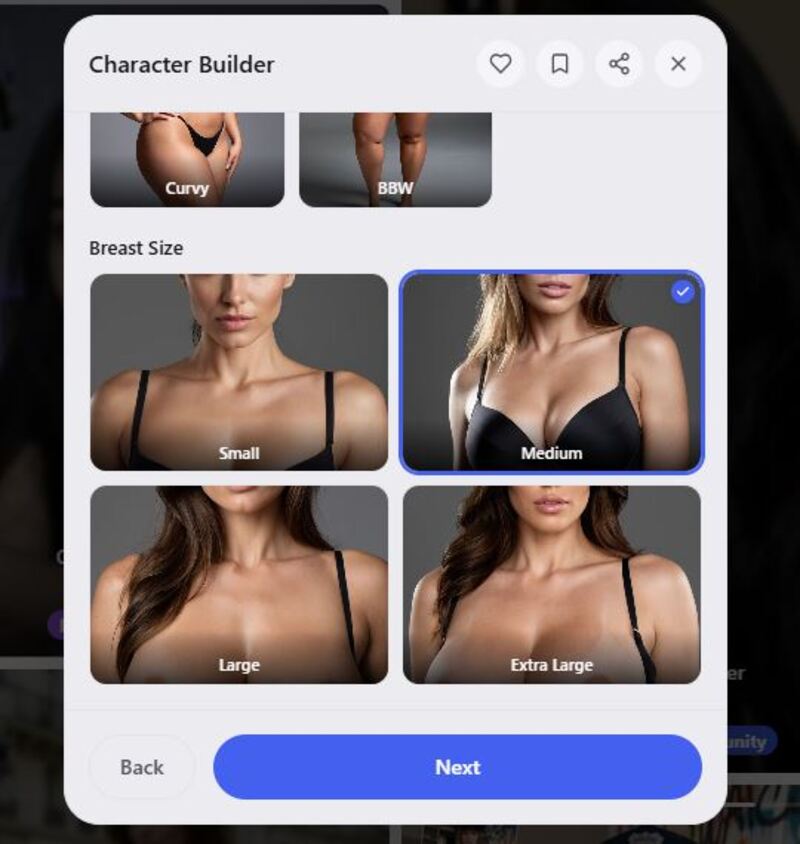
Step 3: Tweak appearance. I wanted something appealing, so I chose an average body with medium breast size.
Step 4: Choose her outfit. Here I decided to go with something decent and presentable, so I picked a dress.
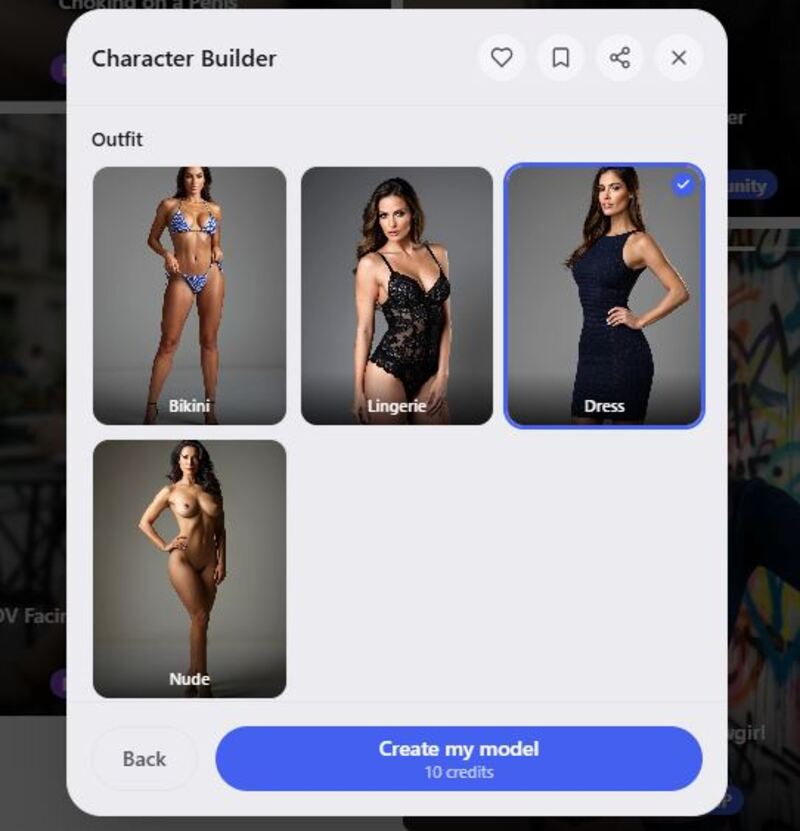
Step 5: Once everything was set, I hit the create button, and my character was instantly live and ready to make videos.
Chat Experience
This is one area where I need to be very clear. I couldn't find a conventional AI companion chat feature during my review of Musebox.
The platform's current feature description focuses on image/video generation, character consistency, and model training rather than text-based relationship chat.
Musebox is much closer to a visual AI studio. You create things, animate and extend them, and experiment with different templates. And if you're approaching the platform from that angle, the experience makes much more sense.
NSFW Chat Experience
I also couldn't find a conventional NSFW chat feature during my review. However, the platform itself is clearly marked 18+, and its public collection currently includes categories such as "Nudes" alongside general visual categories.
For this review, I'm keeping that aspect non-graphic. The important distinction is that Musebox's explicit side appears to be connected primarily to visual generation and community content, rather than an adult AI girlfriend conversation system.
Image Generation Quality
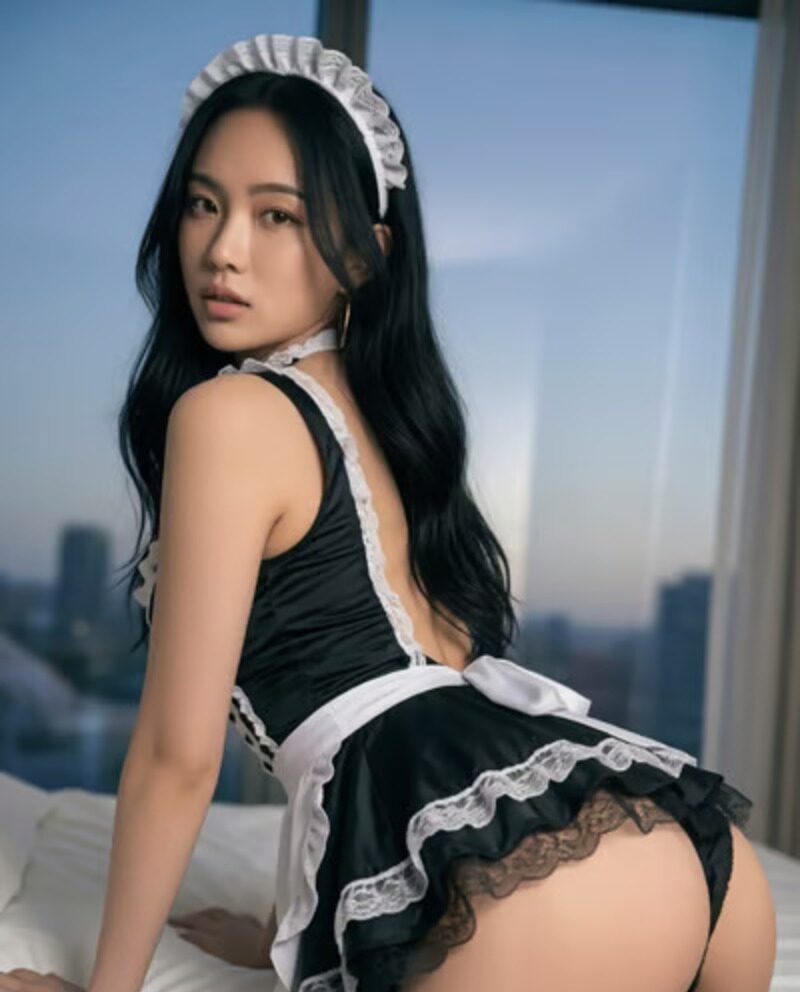
Image generation is one of the places where Musebox starts to feel much more at home. It is not sold as a standalone image tool, but text-to-image sits right alongside the video tools.
That means you don't necessarily have to arrive with a finished image. You can start with an idea, create an image, and then use it as the basis for further creation.
I like that workflow because it removes one of the awkward parts of AI video generation. Instead of thinking about video immediately, you can concentrate on getting the still image right first. Then you animate it.



Video Generation Quality
This is easily the strongest part of Musebox. Video generation is at the centre of the experience. You simply select an image from the existing library and let the system do its magic.
And you don't necessarily need to spend time writing complicated prompts. Standard video generation takes around a minute, although longer clips and higher resolutions take proportionally more time.
I also liked the option to extend a finished clip. That changes the experience from simply generating short animations into something closer to building a sequence. You can generate one clip, use it as the basis for the next, and gradually build a longer visual idea.
The results will naturally vary depending on the source image and template.
Voice Generation Quality
This was another section where I couldn't find the feature I normally look for. Musebox lacks a dedicated AI voice-generation or voice-chat feature. It does, however, list soundtrack generation among its features.
That’s different because a soundtrack is not the same as giving an AI character a speaking voice. Its audio tools appear to be designed more around adding sound to generated visual content. For someone making short AI videos, that can still be useful.
But if you're specifically looking for an AI girlfriend that talks back to you through voice messages or live voice conversations, this isn't where Musebox seems to be focusing.
Privacy
Privacy is particularly important with Musebox because the platform allows users to upload images and even footage for model training. Its terms state that users cannot use other people's photos without permission and that users are responsible for the videos and images they generate.
I would still recommend reading those documents before uploading personal or sensitive material. The fact that Musebox offers private model training makes privacy more important here than it might be on a basic text chatbot.
Musebox AI Price
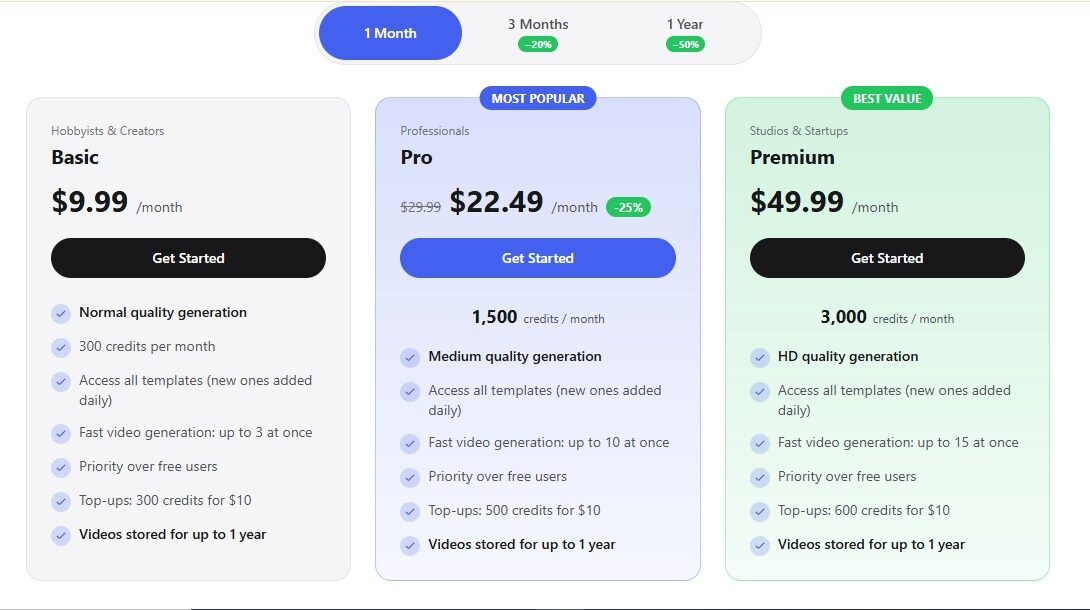
Musebox uses a credit-based model rather than simply charging a flat fee. Every account starts with a free credit balance, meaning you can generate some content before paying anything. After that, credits can either be purchased outright or included through a plan.
The packages include:
- Basic: $9.99/month
- Pro: $22.49/month
- Premium: $49.99/month
Paid plans add HD output, faster video generation, queue priority, and monthly credits.
Musebox AI: Who is it for?
After spending time with the platform, I'd say Musebox is best suited to people interested in AI visual creation, rather than those primarily looking for an AI girlfriend chatbot.
It's particularly interesting for:
- AI image creators
- AI video enthusiasts
- Digital artists
- Character creators
- Short-form video creators
Musebox AI: User Reviews
I didn't find enough reliable third-party feedback from theresanaiforthat.com.com or Reddit during my search to make strong claims about overall user satisfaction.
So I'd recommend treating the free credits as your best testing opportunity. Try the image generator, test image-to-video, and experiment with a couple of templates. See how consistent your characters remain, and then decide whether the platform is worth paying for.
That's much safer than subscribing based solely on someone else's opinion.
Summary
Musebox AI is a visual-generation platform first and an AI companion platform only in a very loose sense. The platform's strongest features are AI NSFW video generation, video extension, soundtrack creation, and private model training tools.
If you're looking for long conversations with an AI companion, there are more suitable platforms. But if you're interested in creating AI characters and building short visual sequences, Musebox becomes much more interesting.
Musebox AI Alternatives
If Musebox doesn't quite match what you're looking for, the best alternatives are:
- Candy AI: Better fit if your main interest is chat, image, and video generation
- Janitor AI: Supports chats and includes a variety of community-created personalities
- CrushOn AI: Community characters and unfiltered roleplay
- Yume AI: Offers realistic, emotional depth
FAQs
Is Musebox AI safe?
Yes, it employs security measures like encryption and access controls and explicitly states it does not sell your personal information, though no online platform can guarantee absolute security.
Is Musebox AI free?
Partially. The free plan includes limited tokens and features, enough to test many things. Premium tiers unlock the video feature, faster speed, and more credits.
How much is Musebox AI?
The price is roughly $9.99/month for the basic plan and $22.49/month for the pro version. The premium plan tops the list, costing $49.99/month.
Does Musebox AI have a “free premium account”?
No, the free plan is separate. Premium features are locked unless you pay or unlock them.
Is Musebox AI legit?
Yes. Musebox is a legit platform with active users and features that work as claimed. Just make sure you read the terms and privacy policy before sharing sensitive info.
Is Musebox AI discreet?
Yes. But as always, avoid sharing sensitive data with NSFW/adult platforms.
Is Musebox AI a scam?
No. It charges for features and delivers them. But as with any paid service, don’t pay via sketchy third parties. Use official channels.
Does Musebox AI have chat?
No. Musebox's current feature set is centered around character and video generation rather than text-based character conversations.
Does Musebox AI generate videos?
Yes. Video generation is actually the platform's main focus. Users can animate still images, extend existing clips, and use different templates to create short AI videos.
Conclusion
So, is Musebox AI worth it?
After looking at Musebox from the perspective of an AI companion review, I think the most important thing is setting the right expectations. Musebox isn't really trying to be another chatbot. And once I stopped expecting it to behave like one, I found the platform considerably more interesting.
Its real strength is visual creation. Take an image, animate it, extend the clip, add a soundtrack, keep a character consistent, or even train a private model around your own footage. That's a pretty substantial collection of tools for anyone interested in AI-generated visual content.